

Description
Generating Images and Videos
3-Day Bootcamp
Presented by Muse Tech Consulting, LLC
themusetech
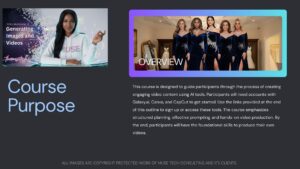
Course Overview
Purpose:
Guide participants in creating engaging video content using AI tools.
Tools Used:
- Galaxy.ai
- Canva
- CapCut
Focus Areas:
- Structured planning
- Effective prompting
- Hands-on production
Outcome:
Develop foundational skills to produce short, replicable videos.
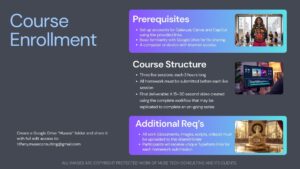
Prerequisites
- Active accounts for Galaxy.ai, Canva, and CapCut
- Basic familiarity with Google Drive
- Reliable internet-connected device
Course Structure
- 3 Live Sessions (3 hours each)
- One-on-one or small group format
- Homework: Submitted via Typeform before each session
- Final Deliverable: 15–30 second video ready for replication
Additional Requirements
- Create a Google Drive folder named Museai
- Share with: tiffany.museconsulting@gmail.com (full edit access)
- Upload all work: documents, images, scripts, and videos
- Submit homework through unique Typeform links
Day 1 — Concept Development
Objective: Build a strong foundation for a short video story.
Pre-Session Homework:
- 200–400 word concept summary (plot, theme, audience, tone, length)
- Character profiles (details, motivations, voice notes)
- Scene descriptions (location, mood, visuals)
- Organize all materials in Google Docs/Sheets in the Museai folder
Day 1 — Live Session Agenda
- Review and feedback on concepts
- Refine story, characters, and settings collaboratively
- Create quick visual mood references in Canva
- Verify tool setup and preview Day 2
- Q&A
Day 1 — Post-Session Homework
Topic: Image Prompt Basics + Generated Assets
Prompt Structure:
- Subject
- Detailed description
- Style/aesthetic
- Technical details
- Optional boosters/negative prompts
Requirements:
- Write 3–5 image prompts
- Generate 5+ images in Galaxy.ai
- Upload to Museai folder
- Write a reflection on challenges and successes
Day 2 — Prompting Basics & Script Development
Objective: Master AI prompting and create a production-ready script.
Live Session Agenda:
- Review prompts and images
- Reverse-engineering demo in Galaxy.ai
- Prompting workshop (specificity, iteration, style control)
- Script development (dialogue, timing, lip-sync)
- Quick storyboarding in Canva
- Troubleshooting and Q&A
Day 2 — Post-Session Homework
- Final polished script (scene-by-scene)
- Key generated assets (characters + 2–3 scenes)
- Test voice-over for one scene
- Rough timeline in CapCut
- Upload all assets to Museai folder
Day 3 — Video Production & Final Assembly
Objective: Complete a polished 15–30 second video.
Live Session Agenda:
- Review CapCut rough cuts
- Implement lip sync
- Assemble full video (transitions, music, text, effects)
- Adjust pacing
- Live critique and final export
- Upload completed video to Museai folder
Tool Access Links
- Galaxy.ai: https://galaxy.ai/?ref=themusetech
- Canva: https://www.canva.com/
- CapCut: https://www.capcut.com/capcut_pc_web/fission_receive?code=8hGnXf14687575&lng=en


Reviews
There are no reviews yet.